

Install aline
aline runs right in your browser and can be installed like an app, without downloading any file. Installed, it gets its own icon, opens offline and keeps your data safer.
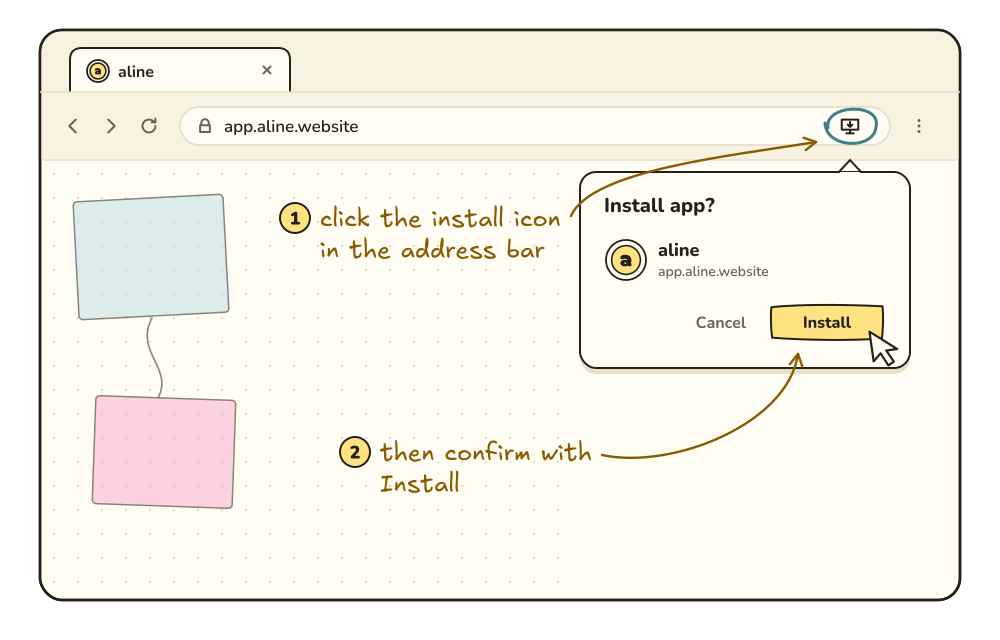
- Open aline in Chrome.
- Click the install icon on the right side of the address bar.
- Confirm with “Install”.
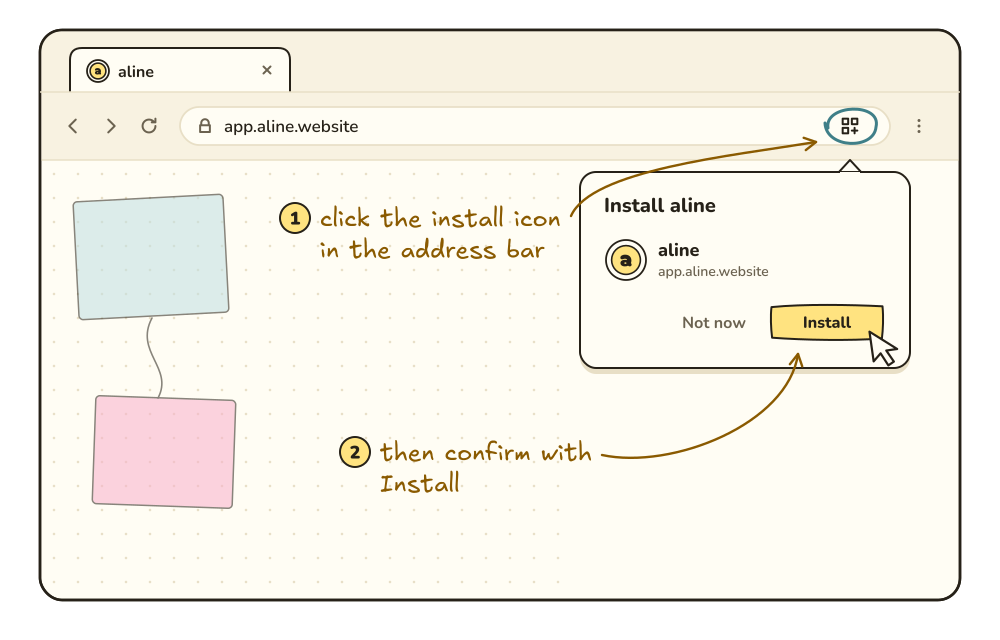
- Open aline in Edge.
- Click the “App available” icon in the address bar.
- Confirm with “Install”.
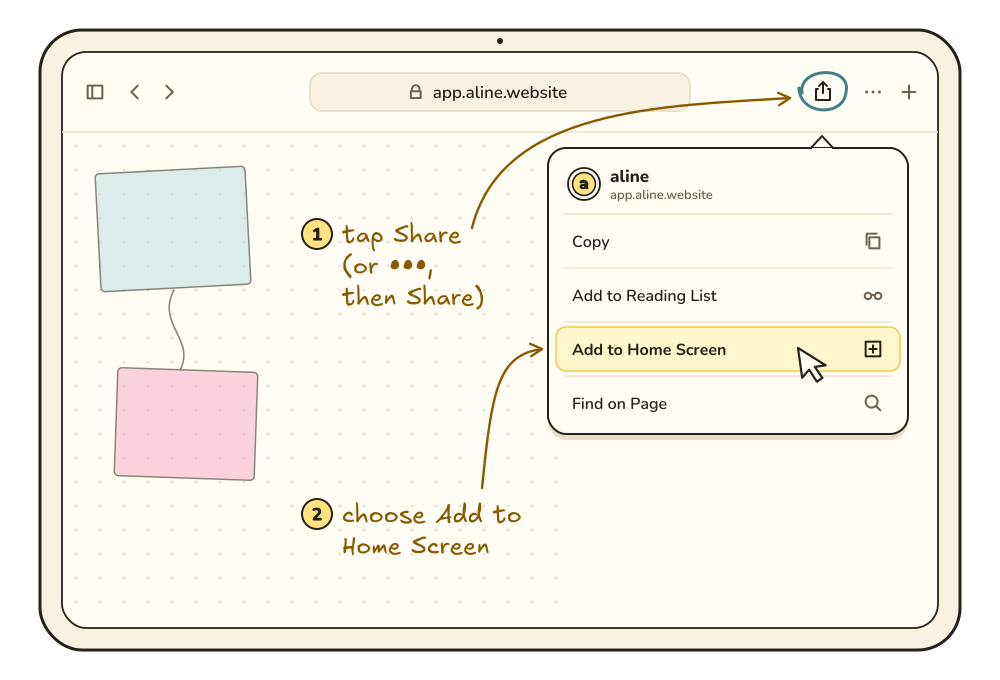
- Open aline in Safari.
- Tap “Share” (or the three dots, then “Share”).
- Choose “Add to Home Screen”.
aline works in Chrome and Edge on a computer, and in Safari on the iPad.